This technote walks through the OpsAPI single sign-on demo end to end: five demo apps in Java (Spring Boot), PHP, Python, Rust and Go that sign users in through one self-hosted OpsAPI identity service, the request path in front of them, the exact sign-in contract with the real code from the apps, the settings that matter, how to keep admin dashboards behind a VPN or zero-trust broker, how to add another app, how to test it, and what we learned building it. For the business case in plain terms, read the companion post One Sign-In for Every App, Run on Our Own Cluster.
Interactive version: step through a sign-in, try a forged callback and choose who knocks on which door.
Updated 28 October 2026: three more demo apps (hello-python, hello-rust and hello-go), a public read-only demo login, and a correction to the request path (the edge no longer sets a workspace header).

GET /auth/signin?frontend_url=<app origin>&from=<nonce>. OpsAPI signs the user in and redirects to <app origin>/auth/callback?token=<JWT>&redirect=<nonce>. The app checks the nonce, calls GET /auth/me with Authorization: Bearer <JWT>, and starts its own session. It never verifies the JWT itself.

1. Architecture
Hosts
| Host | What it is |
|---|---|
identity.demo.opsapi.org | OpsAPI API in a minimal core_only build: auth, users, workspaces (namespaces) and roles. Serves the hosted sign-in page at /auth/signin. |
dashboard.demo.opsapi.org | The OpsAPI admin dashboard (Next.js) for the demo workspace. Its API URL is baked in at build time. |
hello-java.demo.opsapi.org | Spring Boot demo app |
hello-php.demo.opsapi.org | PHP demo app |
hello-python.demo.opsapi.org | Python demo app (standard library only) |
hello-rust.demo.opsapi.org | Rust demo app (tiny_http + ureq) |
hello-go.demo.opsapi.org | Go demo app (standard library only) |
Isolation
The demo is its own stack: its own PostgreSQL 16 database (with pgvector), its own secrets and its own workspace, called demo. Nothing is shared with any other OpsAPI deployment, so the demo can be reset, broken or torn down without touching anything else. The core_only build switches on only the modules sign-in needs (auth, users, namespaces and role-based access control), which keeps the attack surface and the migration set small.
Inside that stack there are two workspaces. demo is where real people land when they sign in to the apps with their own Google account. showcase holds only fictional sample users and the public read-only login described in section 10, so publishing that login never exposes anyone's details.
The request path
- DNS. Each host is a CNAME to our edge, DNS only (not proxied by the DNS provider).
- Our edge proxy terminates HTTPS with Let's Encrypt certificates and forwards to the cluster. It already sets
X-Real-IP,X-Forwarded-ForandX-Forwarded-Protofor every host. - The cluster's ingress routes by host name to the right Service.
- The service: the OpsAPI API, the dashboard, or one of the five apps.
The edge does not set the workspace. Clients send their own X-Namespace-Slug (or X-Namespace-Id) with the user's token, so roles and data stay scoped to the workspace the user chose. An earlier version of this demo had the edge add X-Namespace-Slug: demo on the identity host; that overwrote the dashboard's header, pinned every call to one workspace, and broke the moment a second workspace existed. Tenancy belongs to the client and the token, not to a proxy rule.
The largest header in the whole flow is the Location: …/auth/callback?token=<JWT> redirect, at roughly one to two kilobytes, comfortably inside a reverse proxy's default buffer, so the edge needed no buffer tuning.
Where secrets come from
The database password, the token signing key (JWT_SECRET_KEY), the encryption key, the Google OAuth client and the mail (SMTP) settings live in our secrets vault. They reach the pods through the External Secrets Operator, which syncs them into Kubernetes Secrets. Nothing secret is in git. The mail settings are not optional: without them, emailed two-factor codes can't be sent and an admin can't finish signing in.
2. The sign-in contract, step by step

- Start. The user clicks "Login with OpsAPI". The app's
/logingenerates a random nonce (16 random bytes, hex encoded), stores it in the user's session, and redirects. - Redirect to OpsAPI. A real
Locationheader from the live demo:HTTP/2 302 location: https://identity.demo.opsapi.org/auth/signin?frontend_url=https://hello-java.demo.opsapi.org&from=5f2dbf159e1e9b4a4c8c0d33f9e1a757GET /auth/signinfirst checks thatfrontend_urlis a trusted origin and thatfromis URL-safe (letters, digits,-._~/, at most 256 characters). An untrusted origin gets a 400 page, never a fallback. - Hosted sign-in page. The page's script first calls
POST /auth/refresh. If the browser already holds an OpsAPI refresh cookie (HttpOnly, from an earlier sign-in to any app), it gets a fresh token and goes straight back to the app with no prompt. That is the single sign-on. Otherwise it shows email and password (posted form-encoded toPOST /auth/login; when the account needs it, a six-digit code is emailed and checked withPOST /auth/2fa/verify) and, when Google is configured, a "Continue with Google" link to/auth/googlewith the samefrontend_urlandfrom. - Google (optional path). OpsAPI sends the browser to Google, the user picks an account, and Google returns to
/auth/google/callback?code=…. - Code swap. OpsAPI exchanges the code server to server and reads the profile. If Google says the email isn't verified, sign-in is refused.
- User and workspace. OpsAPI finds the user by email or creates one, and a brand-new user is added to the sign-up workspace (
demo). If that assignment fails, the just-created user is rolled back rather than left half-made. - Token. OpsAPI signs a JWT scoped to the user's default workspace, and sets its own HttpOnly refresh cookie (which is what makes step 3's shortcut work next time). The refresh token is never put in a URL.
- Back to the app. The browser lands on
https://hello-java.demo.opsapi.org/auth/callback?token=<JWT>&redirect=5f2dbf159e1e9b4a4c8c0d33f9e1a757fromcomes back verbatim asredirect. - Nonce check. The app compares
redirectwith the nonce in its session using a constant-time comparison. Missing session, missing nonce or a mismatch: 400. - Ask OpsAPI who this is.
GET /auth/me HTTP/1.1 Host: identity.demo.opsapi.org Authorization: Bearer <JWT> Accept: application/json - The answer. The shape, trimmed, as
/auth/mebuilds it (values are placeholders):
Without a token the answer is{ "user": { "id": 42, "uuid": "…", "email": "user@example.com", "username": "user@example.com", "first_name": "Demo", "last_name": "User", "active": true, "roles": [ … ] }, "namespaces": [ { "uuid": "…", "name": "…", "slug": "demo", "status": "…", "member_status": "…" } ], "current_namespace": … }401 {"error":"Not authenticated"}(or"Missing Authorization header"when the header is absent). - Session. The app rotates its session id (an id seen before login must not survive it), stores the user and token, and redirects to where the user was going. From here on it is the app's own session.
With email and password, steps 4 to 6 don't happen: OpsAPI checks the password, and the emailed code when it applies, on its own page. The callback contract is identical either way, which is why one callback route serves every sign-in method.
Other client types
The redirect flow is for web apps. From the README: mobile apps skip the redirect and post the Google or Apple ID token to POST /auth/oauth/validate; apps with their own email-and-password form can call POST /auth/login, then POST /auth/2fa/verify when the account has two-factor. Platform admins always get the emailed code.
3. The app side in Java (hello-java)
From OpsApiAuthController.java. The login route stores the nonce and builds the redirect:
@GetMapping("/login")
public String login(@RequestParam(required = false) String error,
                    @RequestParam(defaultValue = "/") String next,
                    HttpSession session) {
    // OpsAPI sends sign-in failures here (e.g. oauth_namespace_unresolvable).
    // Starting a fresh login would loop the user straight back to Google.
    if (error != null) {
        throw new ResponseStatusException(HttpStatus.UNAUTHORIZED, "OpsAPI sign-in failed: " + error);
    }
    byte[] bytes = new byte[16];
    random.nextBytes(bytes);
    // Hex only: OpsAPI switches to its desktop flow if `from` contains
    // "desktop", "electron" or "wsl-chat", which hex can never spell.
    String nonce = HexFormat.of().formatHex(bytes);
    session.setAttribute(NONCE, nonce);
    session.setAttribute(NEXT, localPath(next));

    String url = UriComponentsBuilder.fromUriString(identityUrl).path("/auth/signin")
            .queryParam("frontend_url", appUrl)
            .queryParam("from", nonce)
            .encode().toUriString();
    return "redirect:" + url;
}
The callback checks the nonce before it does anything else, then asks OpsAPI:
@GetMapping("/auth/callback")
public String callback(@RequestParam String token,
                       @RequestParam(name = "redirect", required = false) String nonce,
                       HttpServletRequest request) {
    HttpSession session = request.getSession(false);
    Object expected = session == null ? null : session.getAttribute(NONCE);
    if (expected == null || nonce == null || !MessageDigest.isEqual(
            expected.toString().getBytes(StandardCharsets.UTF_8), nonce.getBytes(StandardCharsets.UTF_8))) {
        throw new ResponseStatusException(HttpStatus.BAD_REQUEST, "Sign-in was not started here. Go to /login.");
    }

    Map<String, Object> me;
    try {
        me = opsapi.me(token);
    } catch (RestClientResponseException e) {
        throw new ResponseStatusException(HttpStatus.UNAUTHORIZED,
                "OpsAPI rejected the token: " + e.getResponseBodyAsString());
    }

    request.changeSessionId(); // a session id seen before login must not survive it
    session.removeAttribute(NONCE);
    session.setAttribute(USER, me);
    session.setAttribute(TOKEN, token);
    // Absolute, on the public origin: a relative redirect would be made
    // absolute by Tomcat with the plain-http scheme the proxy uses to reach the pod.
    return "redirect:" + appUrl + session.getAttribute(NEXT);
}
And the one call that verifies the token, from OpsApiClient.java:
/**
 * GET /auth/me. This is how the token is verified: it is HS256-signed with
 * a key that never leaves OpsAPI, so the app cannot check it locally.
 * Throws RestClientResponseException when OpsAPI rejects the token.
 */
public Map<String, Object> me(String token) {
    return http.get().uri("/auth/me")
            .headers(h -> h.setBearerAuth(token))
            .retrieve()
            .body(JSON);
}
Configuration is two URLs in application.yml, both overridable from the environment:
opsapi:
  identity-url: ${OPSAPI_IDENTITY_URL:https://identity.demo.opsapi.org}
  app-url: ${OPSAPI_APP_URL:https://hello-java.demo.opsapi.org}
Only /api/secure/** needs a session. /api/secure/me returns the signed-in user and workspace; /api/secure/resource calls an API as the user by forwarding their token as a bearer token. /logout invalidates the app session, and /logout?everywhere=true also redirects to /auth/signout so the next sign-in in any app prompts again.
Why not Spring Security's oauth2Login()? Because OpsAPI isn't an OAuth 2.0 authorisation server or an OpenID Connect server: there's no /authorize, no /token and no discovery document, so oauth2Login() has nothing to talk to. Two plain controller methods do the job.
4. The app side in PHP (hello-php)
From OpsApiAuth.php. Starting a login:
public function begin(array &$session, ?string $next): string
{
    // Hex only: OpsAPI switches to its desktop flow if `from` contains
    // "desktop", "electron" or "wsl-chat", which hex can never spell.
    $nonce = bin2hex(random_bytes(16));
    $session['opsapi_nonce'] = $nonce;
    $session['opsapi_next'] = self::safeNext($next);

    return $this->identityUrl . '/auth/signin?' . http_build_query([
        'frontend_url' => $this->appUrl,
        'from' => $nonce,
    ]);
}
Finishing it:
public function complete(array &$session, array $query): array
{
    $token = (string) ($query['token'] ?? '');
    $nonce = (string) ($query['redirect'] ?? '');
    $expected = (string) ($session['opsapi_nonce'] ?? '');

    if ($token === '' || $expected === '' || !hash_equals($expected, $nonce)) {
        return ['ok' => false, 'status' => 400, 'error' => [
            'code' => 'BAD_CALLBACK', 'message' => 'Sign-in was not started here. Start again from /login.',
        ]];
    }

    [$status, $me] = $this->get($this->identityUrl . '/auth/me', $token);
    if ($status !== 200 || !is_array($me) || !isset($me['user']) || !is_array($me['user'])) {
        return ['ok' => false, 'status' => 401, 'error' => self::describeError($me, $status)];
    }

    $user = $me['user'];
    $next = $session['opsapi_next'] ?? '/';
    unset($session['opsapi_nonce'], $session['opsapi_next']);
    $session['user'] = [
        'uuid' => $user['uuid'] ?? null,
        'name' => self::displayName($user),
        'email' => $user['email'] ?? null,
        'tenant' => $me['current_namespace'] ?? null,
        'namespaces' => $me['namespaces'] ?? [],
    ];
    $session['opsapi_token'] = $token;
    $session['opsapi_token_exp'] = self::tokenExpiry($token, time());

    return ['ok' => true, 'next' => $next];
}
Three details worth copying from the PHP side:
- The session cookie is
SameSite=Lax, notStrict. The return from OpsAPI is a cross-site navigation;Strictwould drop the cookie, and the nonce check would fail every time. - The token call never follows redirects (
CURLOPT_FOLLOWLOCATION => false), so the bearer token can't be re-sent to a redirect target. - The token's
expis read only as a timer.tokenExpiry()decodes the payload without checking the signature, because/auth/mehas already vouched for the token; the app only needs to know when to send the user back to sign in. It never treats that decode as verification.
The front controller calls session_regenerate_id(true) after a successful callback, for the same reason the Java app calls changeSessionId().
5. The same flow in Python, Rust and Go
Three more apps, hello-python, hello-rust and hello-go, implement the same contract with the same safeguards. They live in hello-sso-demos/ and share one set of page templates and one Helm chart, so the three pages can't drift apart.
| App | Stack | Dependencies | Tests |
|---|---|---|---|
| hello-python | Python 3.13, http.server + urllib | none outside the standard library | 13 |
| hello-go | Go, net/http | none outside the standard library | 9 |
| hello-rust | Rust, tiny_http server, ureq client | serde_json, getrandom, base64, form_urlencoded | 7 |
The Python callback, from app.py, trimmed:
if path == "/auth/callback":
    token, nonce = q.get("token", ""), q.get("redirect", "")
    expected = (session or {}).get("nonce", "")
    if not token or not expected or not hmac.compare_digest(expected, nonce):
        return 400, html_type, self.error_page(
            {"code": "BAD_CALLBACK", "message": "Sign-in was not started here. Start again from /login."})
    status, me = self.http(self.c.identity + "/auth/me", token)
    if status != 200 or not isinstance(me, dict) or not isinstance(me.get("user"), dict):
        return 401, html_type, self.error_page(describe_error(me, status))
    ...
    self.sessions.drop(sid)  # a session id seen before login must not survive it
    new_sid = self.sessions.create({...})
    return 302, [("Location", self.c.app_url + nxt), self.cookie(new_sid)], ""
The Go version makes the same check with subtle.ConstantTimeCompare, and its HTTP client refuses to follow redirects, so the token is never resent to a redirect target:
var client = &http.Client{
	Timeout: 10 * time.Second,
	// Never resend the token to a redirect target.
	CheckRedirect: func(*http.Request, []*http.Request) error { return http.ErrUseLastResponse },
}
All three set the session cookie HttpOnly, Secure on https and SameSite=Lax. Lax rather than Strict matters: the return from OpsAPI is a cross-site navigation, and a Strict cookie would be dropped, taking the nonce with it. Each app also refuses an open redirect through /login?next=, shows OpsAPI's error envelope (code, message and correlation id) when a token is rejected, and offers sign-out here or everywhere. Before deploying, we ran each Docker image locally against the live identity service: a real token for the demo login signed in, the dashboard got 200 from /auth/me, and a forged callback got 400.
6. Security properties
| Property | What enforces it | What it stops |
|---|---|---|
Nonce in from / redirect | Each app, constant-time compare against its session | A forged /auth/callback?token=… link signing a victim in to someone else's account (login CSRF) |
| Trusted origins only | OpsAPI: frontend_url must match its allow-lists | Tokens being handed to an attacker's site |
| Verified Google email | OpsAPI's Google callback | Someone claiming an address Google hasn't verified |
| No local JWT verification | Apps call /auth/me; the signing key stays in OpsAPI | The signing key spreading to every app (and every app's bugs) |
| Workspace scoping | The client's X-Namespace-Slug plus the user's token; membership checked per workspace | Roles and data leaking across workspaces |
| Emailed code for admins | OpsAPI: platform admins always; others when the workspace requires it | A stolen admin password being enough on its own |
| Hosted page hardening | Nonce-based Content Security Policy, frame-ancestors 'none', X-Frame-Options: DENY, no-referrer, no-store | Clickjacking the password form, injected script, caching |
Same-site next only | Every app's localPath() / safeNext() | The app itself becoming an open redirect |
| Rate limits and lockout | OpsAPI's existing /auth/login and /auth/2fa/verify, which the hosted page calls | Password guessing through the new page |
A note on the two entry points: /auth/google falls back to FRONTEND_URL when frontend_url isn't trusted, while the newer /auth/signin refuses an untrusted origin outright with a 400. The hosted page can return a token with no prompt (the single sign-on), so it deliberately trusts only origins that are actually configured.
7. Configuration
The OpsAPI settings that matter for sign-in, and where each one belongs. No real values here.
| Setting | What it does | Where it lives |
|---|---|---|
CORS_ALLOWED_DOMAINS | Trusted domains; a domain covers all its subdomains. In the demo, one entry covers all four hosts. | Plain config |
CORS_ALLOWED_ORIGINS | Exact trusted origins | Plain config |
PASSWORD_RESET_ALLOWED_ORIGINS | Comma-separated origins also trusted for frontend_url | Plain config |
FRONTEND_URL | OpsAPI's own front end; trusted, and the fallback target for /auth/google | Plain config |
SIGNUP_NAMESPACE_SLUG | The workspace new users join when no project_code is passed | Plain config |
GOOGLE_CLIENT_ID | The Google OAuth client. The hosted page hides the Google button while it is unset or a placeholder. | Plain config, or alongside the secret in the vault |
GOOGLE_CLIENT_SECRET | The Google OAuth client secret | Secrets vault |
GOOGLE_REDIRECT_URI | https://<opsapi-host>/auth/google/callback, registered on the Google client | Plain config |
JWT_SECRET_KEY | Signs every token. Must never leave OpsAPI. | Secrets vault |
SMTP_* | Sends the emailed codes | Secrets vault |
Use a dedicated Google OAuth client per deployment, with only that deployment's callback registered. It keeps the blast radius small and makes the consent screen honest about which service is asking.
8. Zero-trust admin access
Everything above is about end users. The operator surfaces are a different question. In the public demo the dashboard is reachable from the internet on purpose, so people can try it, and it is still protected by sign-in, an emailed code for admins, and roles. In a production deployment, admin dashboards (the OpsAPI dashboard, the edge proxy's admin UI, the secrets vault UI, monitoring such as Grafana, and the Kubernetes API) should not be on the public internet at all. They should be reachable only through a VPN or a zero-trust network access (ZTNA) broker, with OpsAPI sign-in, MFA and roles still enforced inside.

Five layers, five questions
| Layer | Question it answers | Typical tools (examples only) |
|---|---|---|
| Device + network | Is this a managed device on our private path? | Zscaler Private Access app segments with an App Connector inside the cluster; Cisco Secure Client VPN with posture checks; Cloudflare Access with a Cloudflare Tunnel connector; self-hosted WireGuard |
| Access policy | Is this person in a group allowed to reach this admin app? | ZTNA access policies per application, mapped to workforce identity groups |
| Application sign-in | Who exactly is this, and did they pass MFA? | OpsAPI sign-in plus the emailed code (always for platform admins) |
| Authorisation | What may they do here? | OpsAPI workspace roles |
| Revocation | Can we remove them fast? | Disable them in the ZTNA broker or VPN and deactivate the OpsAPI user |
The vendors named are examples of approaches, not products we have integrated, certified or partner with. Check each vendor's own documentation for current names and capabilities.
Application segments versus a full-tunnel VPN
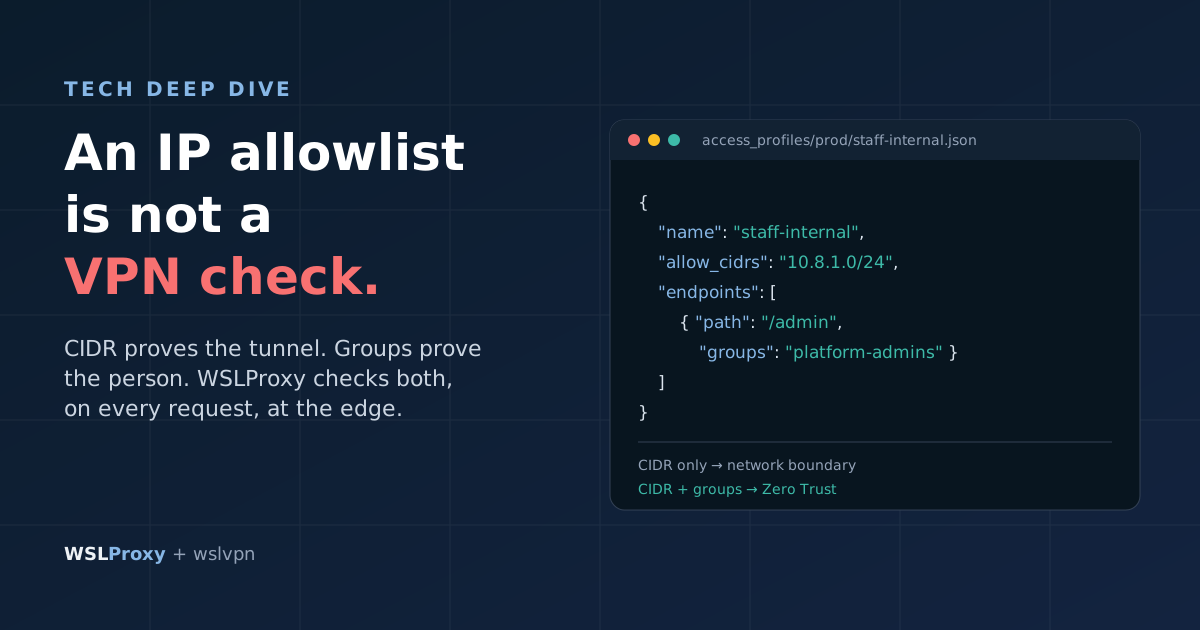
A classic VPN puts the user's device on a network, and from there everything on that network is a target. A ZTNA broker publishes one application at a time to named groups: an operator in the "platform" group can reach the OpsAPI dashboard and monitoring; nobody gets a route to the database port. A WireGuard VPN can approximate this with tight allowed-IP lists and firewall rules per peer, at the cost of maintaining them yourself.
The connector lives inside the cluster
With the ZTNA pattern, a connector runs as a workload in the cluster and dials out to the broker. The admin hostnames then need no public DNS at all (or the edge refuses them for everyone else), and there is no inbound port to scan. The broker stitches the staff member's session to the connector's outbound one.
Workforce identity and customer identity are different
The people who run the platform and the people who use the apps are different populations. The ZTNA broker or VPN usually trusts the company's workforce directory; OpsAPI holds the app users. An operator therefore passes two checks: the broker's (their workforce account, their device, their group) and OpsAPI's (their OpsAPI account, the emailed code, their role). Don't expect OpsAPI to be the identity source for a ZTNA product: it isn't wired up as one, and it doesn't speak the SAML or OIDC those products expect from an identity provider.
Logging and offboarding
The broker logs who reached which admin app, from which device. OpsAPI logs sign-ins as auth events (method, result, user) and holds the roles. Together they give a per-person audit trail. Offboarding is two actions: disable the person in the broker or VPN, and deactivate their OpsAPI user. A deactivated OpsAPI account is refused at password sign-in, at Google sign-in and when the hosted page tries to refresh a session, so the single sign-on shortcut stops too. Sessions an app has already started last until the app ends them, so keep app sessions reasonably short.
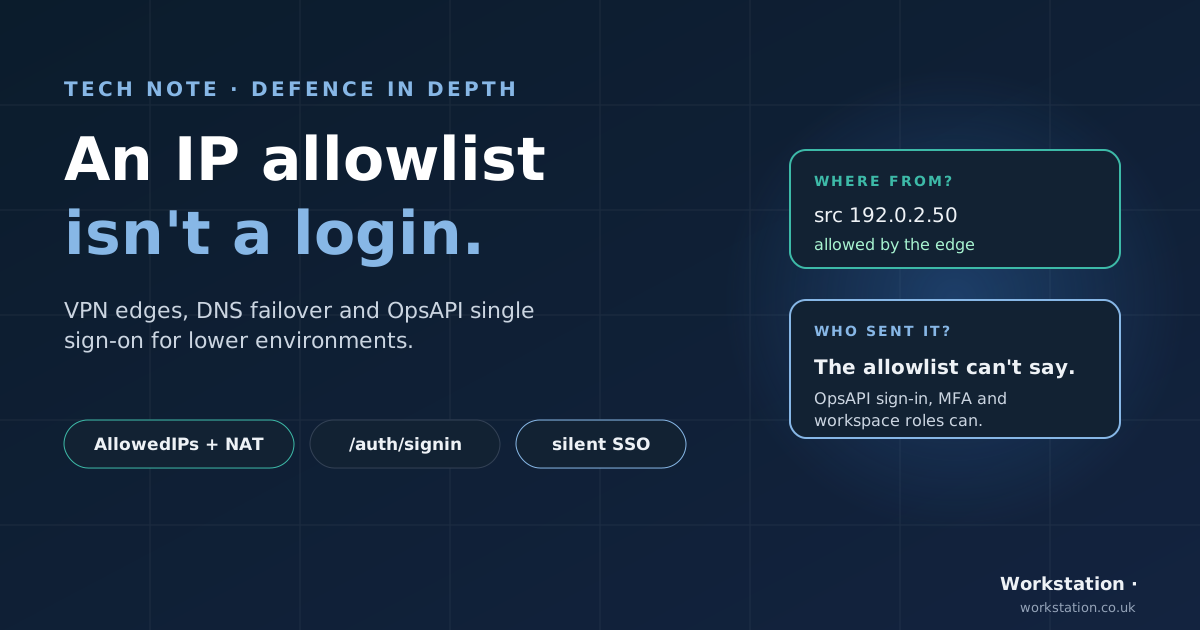
If you also keep pre-production sites private with a VPN and an edge allowlist, the companion technical article VPN, edge allowlist and OpsAPI sign-in as defence in depth covers that set-up.
9. Adding another app

- Allow the origin. Add the app's domain to
CORS_ALLOWED_DOMAINS(or its exact origin toCORS_ALLOWED_ORIGINS). If it is a subdomain of a domain already listed, there is nothing to do. /login. Generate a random nonce (hex is safest), store it in the session, redirect tohttps://<opsapi-host>/auth/signin?frontend_url=<app origin>&from=<nonce>. If/loginis called with?error=…, show the error instead of starting another login, or you'll loop./auth/callback. Compareredirectto the stored nonce in constant time; 400 on mismatch. CallGET /auth/mewith the token as a bearer token; 401 if OpsAPI rejects it. Rotate the session id, store the user, redirect.- Optional sign-out.
/logoutclears the app session. To end the shared OpsAPI session as well, redirect to/auth/signout?frontend_url=<app origin>, which signs out of OpsAPI and returns to the app's home page.
No client registration in OpsAPI and no SDK. The TypeScript client @opsapi/client exists for apps that also call the API.
10. Testing
From a terminal:
# app sends you to the hosted sign-in page
curl -sI https://hello-java.demo.opsapi.org/login | grep -i '^location'
# identity is up
curl -s https://identity.demo.opsapi.org/ready
# a token is checked by asking OpsAPI
curl -s https://identity.demo.opsapi.org/auth/me -H "Authorization: Bearer $TOKEN"
# a forged callback is refused (no matching login session)
curl -s -o /dev/null -w '%{http_code}\n' "https://hello-php.demo.opsapi.org/auth/callback?token=$TOKEN&redirect=forged"   # 400
# wrong password is a clean 401
curl -s -o /dev/null -w '%{http_code}\n' -X POST https://identity.demo.opsapi.org/auth/login \
  --data-urlencode username=nobody@example.com --data-urlencode password=wrong   # 401
# an untrusted app origin is refused by the hosted page
curl -s -o /dev/null -w '%{http_code}\n' "https://identity.demo.opsapi.org/auth/signin?frontend_url=https://example.com&from=x"   # 400
/ready answers with JSON including "ready":true and the running version. The wrong-password call returns the catalogue error AUTH_INVALID_CREDENTIALS with the message "The email or password you entered is incorrect." For $TOKEN, use your own: sign in once in a browser and copy the token from the /auth/callback request in the developer tools' network tab.
In a browser:
- Open hello-java and sign in (Google, or an OpsAPI password and emailed code).
- Check
/api/secure/meshows you and the demo workspace, and/api/secure/resourcereturns 200 using your token. - Press "Open hello-php", or open hello-python, hello-rust or hello-go. Each should sign you in with no form: the hosted page found your OpsAPI session.
- Choose "Sign out of OpsAPI everywhere", then sign in again: the prompt is back.
What we tested end to end on the live demo: a real Google sign-in created an account and placed it in the demo workspace; hello-java's callback led to /api/secure/me showing the user and workspace, and /api/secure/resource returned 200 with the user's token; hello-php's callback led to /dashboard showing the user and workspace; a forged callback (valid token, no matching login session) got 400 in both apps; and a wrong password got a clean 401. hello-python, hello-rust and hello-go passed the same checks against the live identity service.
The public demo login
You don't need a Google account to look around. opsapi.org/demo publishes a read-only login for the admin dashboard and the apps. Three things keep it safe to publish:
- It lives in its own workspace.
showcaseholds only fictionalexample.comusers and is owned by a fictional user, so the member list shows no real address. Asking for thedemoworkspace with this login returns 403. - It can read everything and change nothing. Its
viewerrole hasreadon every module; creating a user returns 403Permission denied. - It repairs itself. A visitor could change its password or deactivate it, so a Kubernetes CronJob restores the password, the active flag and the role every 30 minutes. The emailed sign-in code is off for
showcaseonly, since nobody reads that inbox.
# the demo login signs in with no emailed code (form-encoded)
curl -s -X POST https://identity.demo.opsapi.org/auth/login \
  --data-urlencode username=demo@opsapi.org --data-urlencode 'password=<from opsapi.org/demo>'
# it reads the showcase team
curl -s https://identity.demo.opsapi.org/api/v2/namespace/members \
  -H "Authorization: Bearer $TOKEN" -H "X-Namespace-Slug: showcase"
# and is refused anywhere else
curl -s -o /dev/null -w '%{http_code}\n' https://identity.demo.opsapi.org/api/v2/namespace/members \
  -H "Authorization: Bearer $TOKEN" -H "X-Namespace-Slug: demo"   # 403
11. Lessons learned
- Don't assume a post-start hook finishes before the main process starts. A start-up hook ran alongside the web server; on a fast node the server loaded its configuration before the hook had written it, and the pod never became ready. The fix was to reload the server at the end of the hook. More generally: make start-up ordering explicit, or make the main process pick up late configuration.
- Shared error handling must ship with the core. Error messages came from tables that only an optional module created, so a minimal build answered every error, even a wrong password, with a generic 500. Anything every request path depends on belongs in the core migrations, and it is worth running your smallest build configuration in CI.
- Never verify the token in the app. Ask the identity service. It keeps the signing key in one place, so no app can leak it and rotating it touches one service.
- Trust lists over open redirects. Only hand tokens to origins you've listed, and refuse the rest rather than falling back to a default.
- Test the whole round trip, not just each half. The apps' login code was unit-tested before the hosts existed, and the identity side was tested against stubs. The first real end-to-end run is what proved it, and it found a request-encoding mismatch between the hosted page and the login endpoint that neither half's tests could see.
12. What about SAML and OIDC? And other limits
- Not a SAML identity provider, not an OpenID Connect server. There are no client registrations, no
/authorizeor/tokenendpoints and no discovery document. Stock clients such as Spring Security'soauth2Login()can't use OpsAPI directly; apps use the redirect contract above. If you need SAML or OIDC for third-party tools, plan for a separate component. - Email self sign-up isn't open in the demo.
POST /api/v2/registerdoesn't create an active account unless the caller sets it active, and the hosted sign-in page has no sign-up form. Open sign-up in the demo is through Google; to look around without an account, use the public read-only login. - App sessions are per instance. The demo apps keep sessions in memory, so more than one replica needs sticky sessions or a shared session store.
- Demo, not production. The demo has no object storage, so its database backups are switched off. That is a demo choice, not a recommendation.
Further reading
- OpsAPI README, Single sign-on (SSO) for your apps: the canonical description of what OpsAPI SSO does and doesn't do.
devops/demo/README.md: the demo stack, run order and notes.- hello-java, hello-php and hello-python, hello-rust and hello-go in bwalia/workflow-examples.
- opsapi.org: features, architecture and more technotes, and the live demo guide with the read-only login.
- The non-technical version: One Sign-In for Every App, Run on Our Own Cluster.
- Pre-production sites behind a VPN and edge allowlist: VPN, edge allowlist and OpsAPI sign-in as defence in depth.